

User Guide: Creating Experiments in Foundry Portal
Overview
Here’s how the experiment creation process works:- Create a draft experiment. You can refine this draft at any time, with no payment commitment.
- Submit for review. When you’re ready, click the “Move to Review” button.
- Receive your quote. Our team will review your experiment and prepare a final quote.
- Confirm and start production. After reviewing the quote, confirm to start the production process.
1. Creating a New Draft Experiment
Initial Setup
To begin creating a new experiment, locate the navigation sidebar and click the “New Experiment” button.Required Information
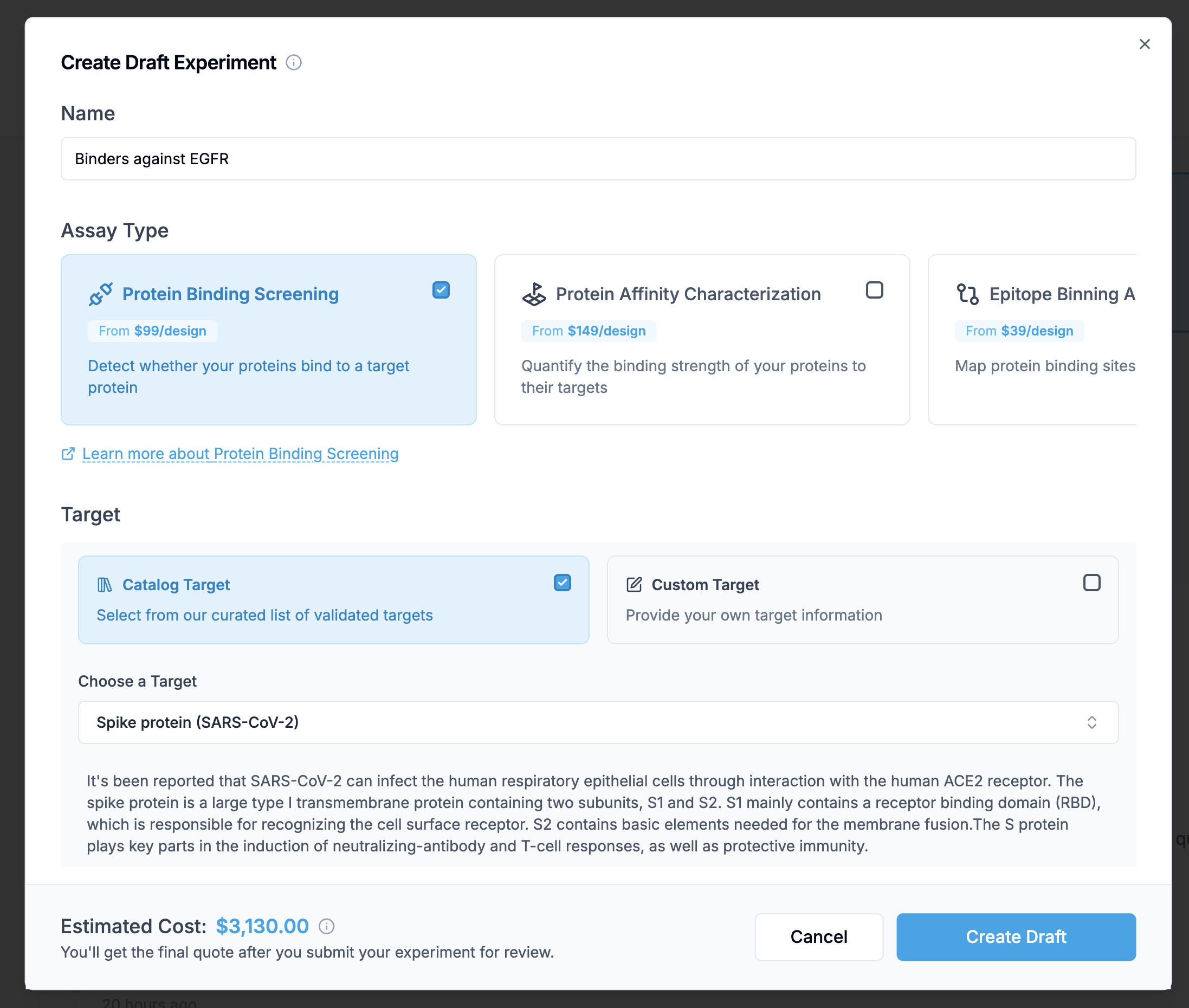
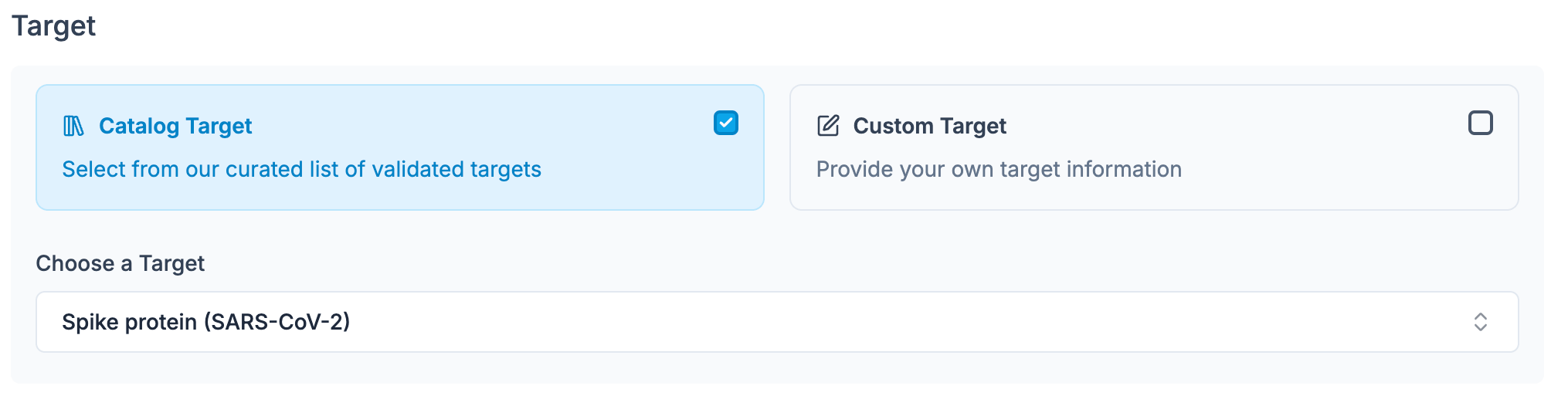
- The supplier information is automatically filled in
- We’ve worked with this supplier before
- Quality control data is available
- The target name (required)
- The amino acid sequence (required)
- A supplier URL (optional, but recommended)
- Any additional notes about special handling or considerations
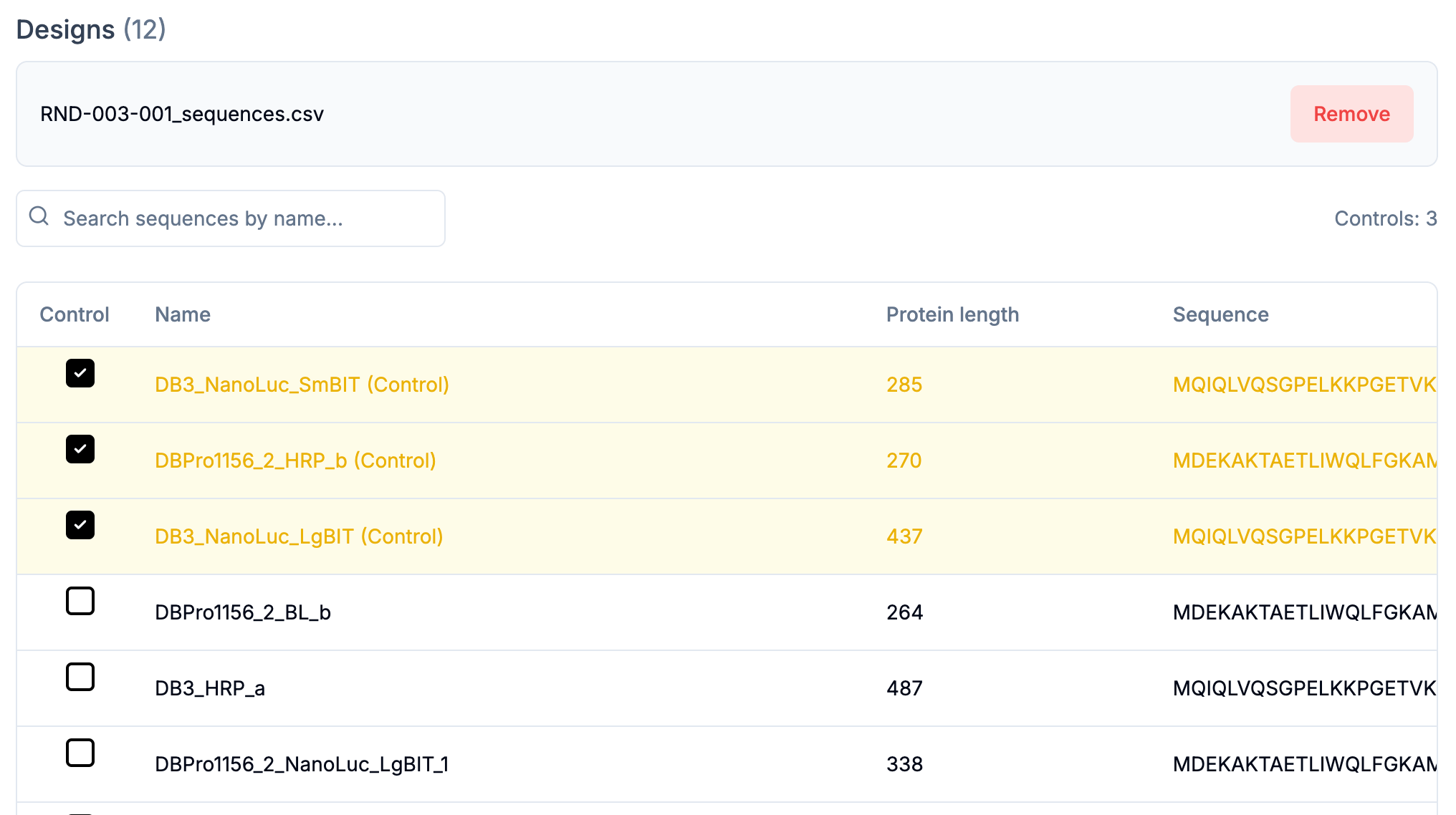
- A column for sequence names
- A column for amino acid sequences
- An optional column for marking controls
- The sequence headers will become your sequence names
- The sequences will be automatically parsed
- Set the number of replicates (the default is duplicate; triplicate is available as an add-on)
- Add any additional notes or special requirements
- The estimated price is for your information only and will most likely change after our review. For instance, it does not include the target cost or potential discounts, which will be added to your final quote
2. Draft Mode
In draft status, you can freely edit your experiment. The system updates price estimates, saves progress without commitment, and provides instant feedback on parameter validity.3. Moving to Review
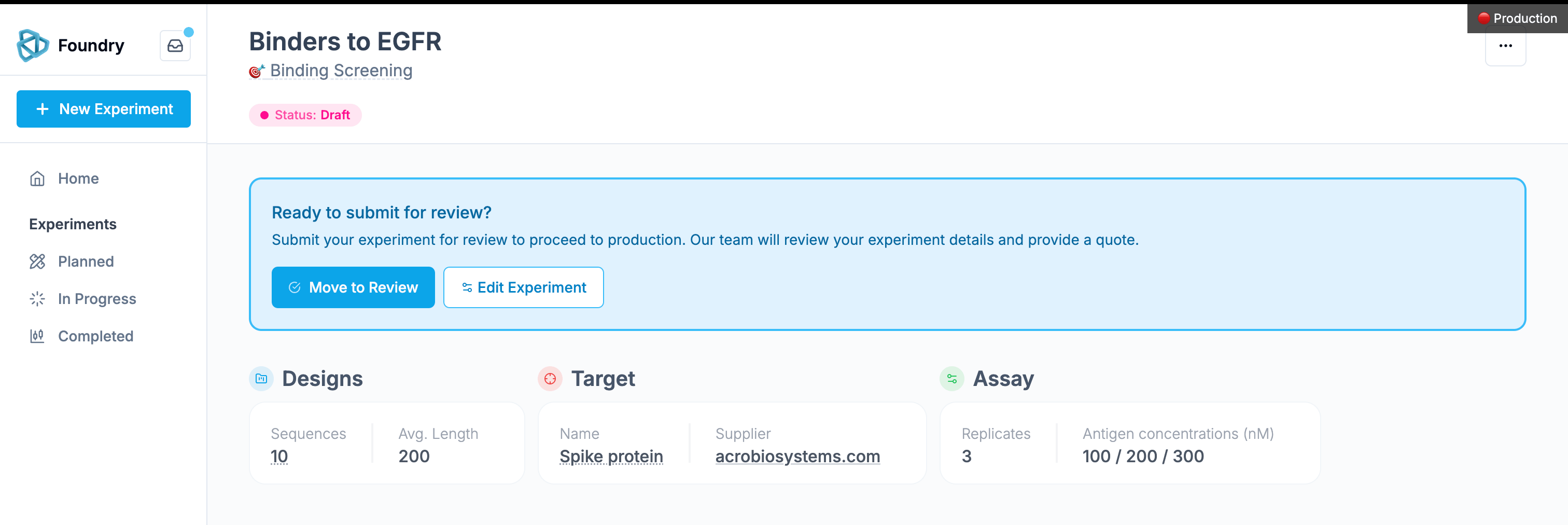
- Your experiment details will be locked during review
- Our team will assess the technical feasibility
- A final quote will be prepared
- You’ll receive notifications about the review progress
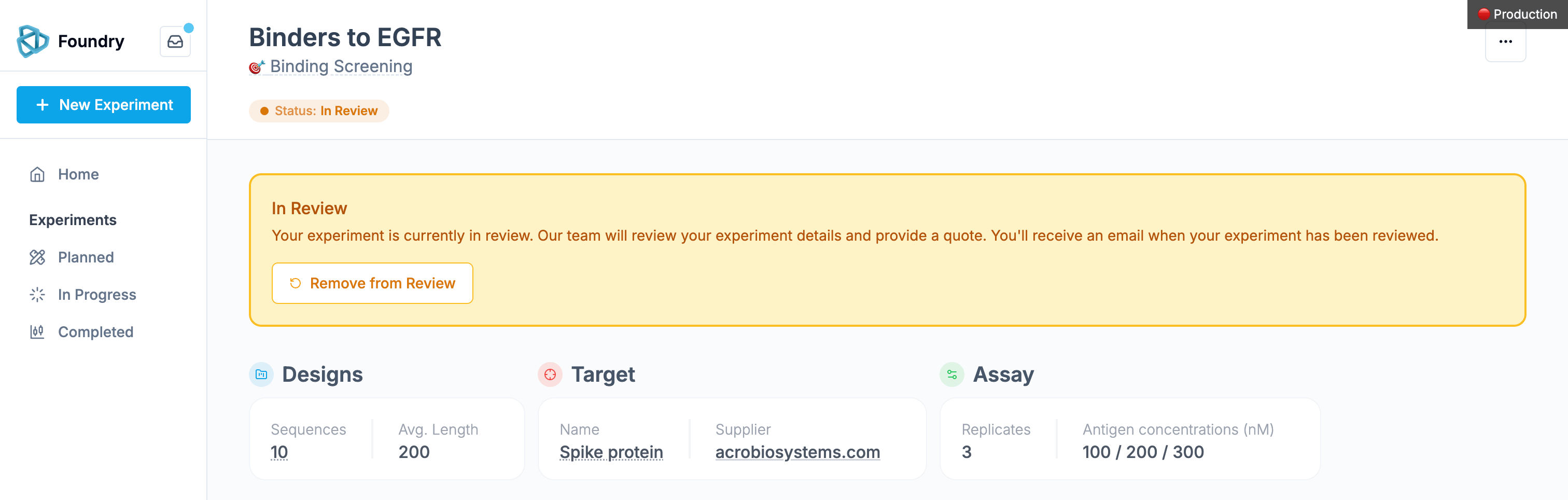
- The experiment details are locked to maintain consistency
- You’ll receive email updates about the review progress
- Our team may reach out with questions or suggestions
- Return the experiment to draft status
- Make necessary modifications
- Resubmit to Review when ready
After Review: Quote, ETA and Confirmation
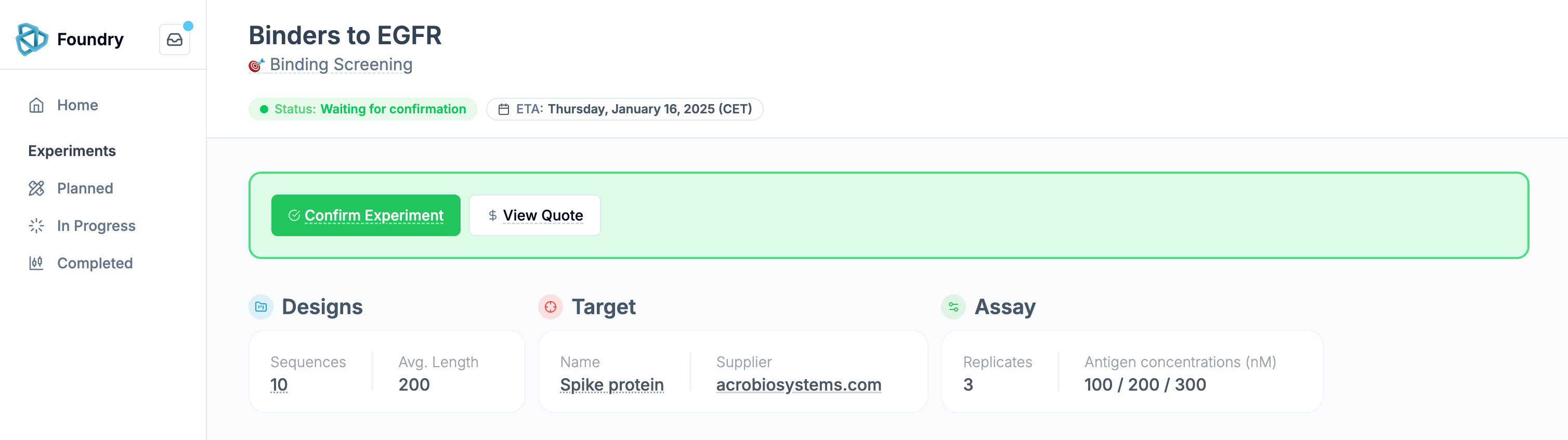
4. Confirming your Experiment
When confirming the experiment, you commit to pay the full amount of the quote. The confirmation process is simple but crucial: Review the Quote: Access and download the complete quote PDF from the experiment page. Final Confirmation: Click “Confirm Experiment,” acknowledge the terms and timeline, and submit your confirmation.Post-Confirmation
Once confirmed, the process moves forward automatically: • The experiment status updates to “In Production.” • Materials are ordered to begin your experiment. • The experiment appears under “Active Experiments” on your dashboard. Timeline and Milestones Here’s what to expect:- Waiting for Materials (5–10 days):
- In Production:
- Data Analysis and Validation:
- Done:
Order size
The minimum order size depends on the assay. Binding screening and affinity characterization need 24 sequences per target. Expression, thermostability, enzyme activity and epitope binning need 20 sequences. The minimum is per target, not per project. Splitting 24 designs across two targets does not meet it: each target needs its own 24 sequences. Two points that come up often:- The designs do not have to be related. They can be variants of a single protein, or 24 unrelated sequences. What matters is that they are all being tested against that target.
- Replicates do not count toward the minimum. The minimum counts distinct sequences, so 10 designs run in duplicate does not meet it.
If you have fewer designs than the minimum, contact us. We run smaller pilots and benchmarks.
Controls
You do not need to provide an expression control. Expression is read out by split-GFP against our own internal calibration, so a dedicated expression positive control is not required. For binding, we do recommend a positive control. The simplest way is to include your control sequence alongside your designs. During sequence upload there is a field to mark a sequence as a control. Controls count toward your sequence total. An order of 20 sequences with one control contains 19 designs.Plate layout: to fit controls on the same plate as the designs, the design total needs to be 90 or fewer, or 120 or more.
Replicates and concentrations
Binding experiments run at multiple target concentrations, in duplicate by default.
The zero-concentration blank is always included, and it is what the other curves are referenced against.
Triplicate is available as an add-on. See our services page for cost.
The lab may add replicates at its own discretion when a first pass is borderline. This is why some sequences in your results have more replicates than others.